

Project Details
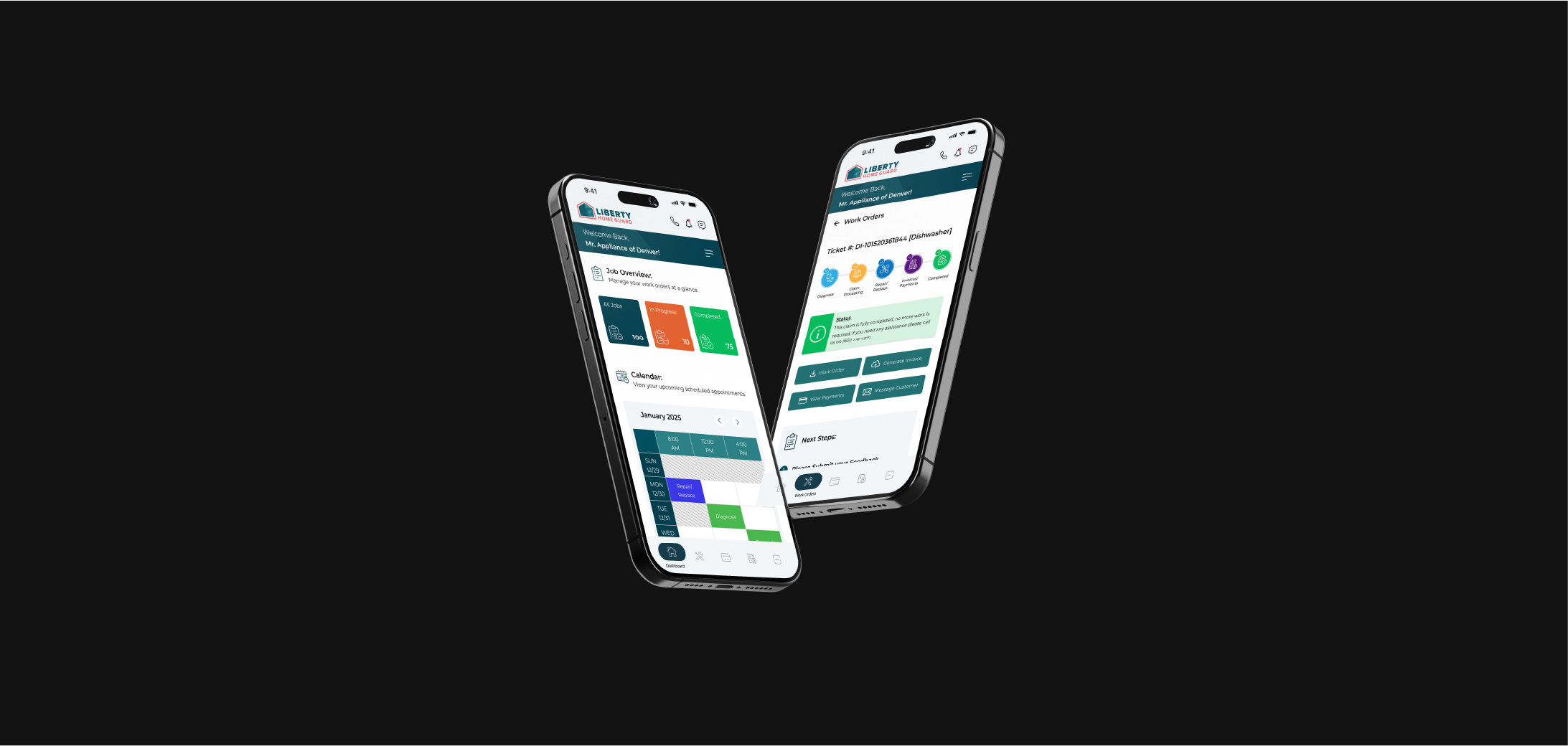
Liberty Home Guard Technician App
Project Overview:
The Liberty Home Guard Technician App transformed a phone-dependent workflow into a streamlined digital experience, empowering field technicians with self-service tools that improved service delivery and operational efficiency.
Current Status:
This application is currently in development and set for release soon. The following case study outlines the research and design process that has brought the project to this stage.
The Challenge:
As the lead designer on this project from conception to launch, I identified that technicians were struggling with a system that created frustration for both service providers and customers:
I spend more time on the phone with dispatchers than actually fixing things. By the time I get approval, I could have already completed the repair. - Field Technician Surveyed
Pain Points Discovered Through Research:
Through contextual inquiry and ride-alongs with technicians, I identified three critical workflow bottlenecks:
1. Diagnosis & Approval Delays
- Technicians spent an average of 18 minutes per job on calls to dispatchers
- 21% of jobs required multiple follow-up calls for approval
- Photo documentation was handled through emails messages, often getting lost
2. Payment Processing Friction
- Authorization holds took 15-20 minutes on average to process
- Manual credit card entry over the phone led to frequent errors
- Technicians often faced payment delays during weekend hours due to low staffing
3. Mobile Workflow Barriers
- The legacy web portal wasn't optimized for mobile use
- Browser limitations prevented offline access to critical information
- On-site documentation required using multiple applications
-
Design Process & Decision Making:
1. Discovery Phase:
I started by mapping the existing workflow, identifying friction points, and understanding the mental models of technicians through:
- Analysis of call logs and support tickets to identify common pain points
- Time tracking data showing average resolution times for different job types
- System usage metrics highlighting adoption barriers with the existing web portal
- Survey responses from technicians about their most significant workflow challenges
2. Design Strategy Development:
Based on research insights, I established core design principles:
- Reduce Cognitive Load - Field technicians already manage complex technical work—the app should simplify administrative tasks, not add complexity.
- Design for Real-World Conditions - Poor connectivity, challenging working conditions, and time pressure shaped my approach to interaction design.
- Emphasize Visual Communication - Clear visual status indicators and minimal text entry requirements were prioritized to support quick interactions.
-
Key Feature Solutions & Design Decisions:
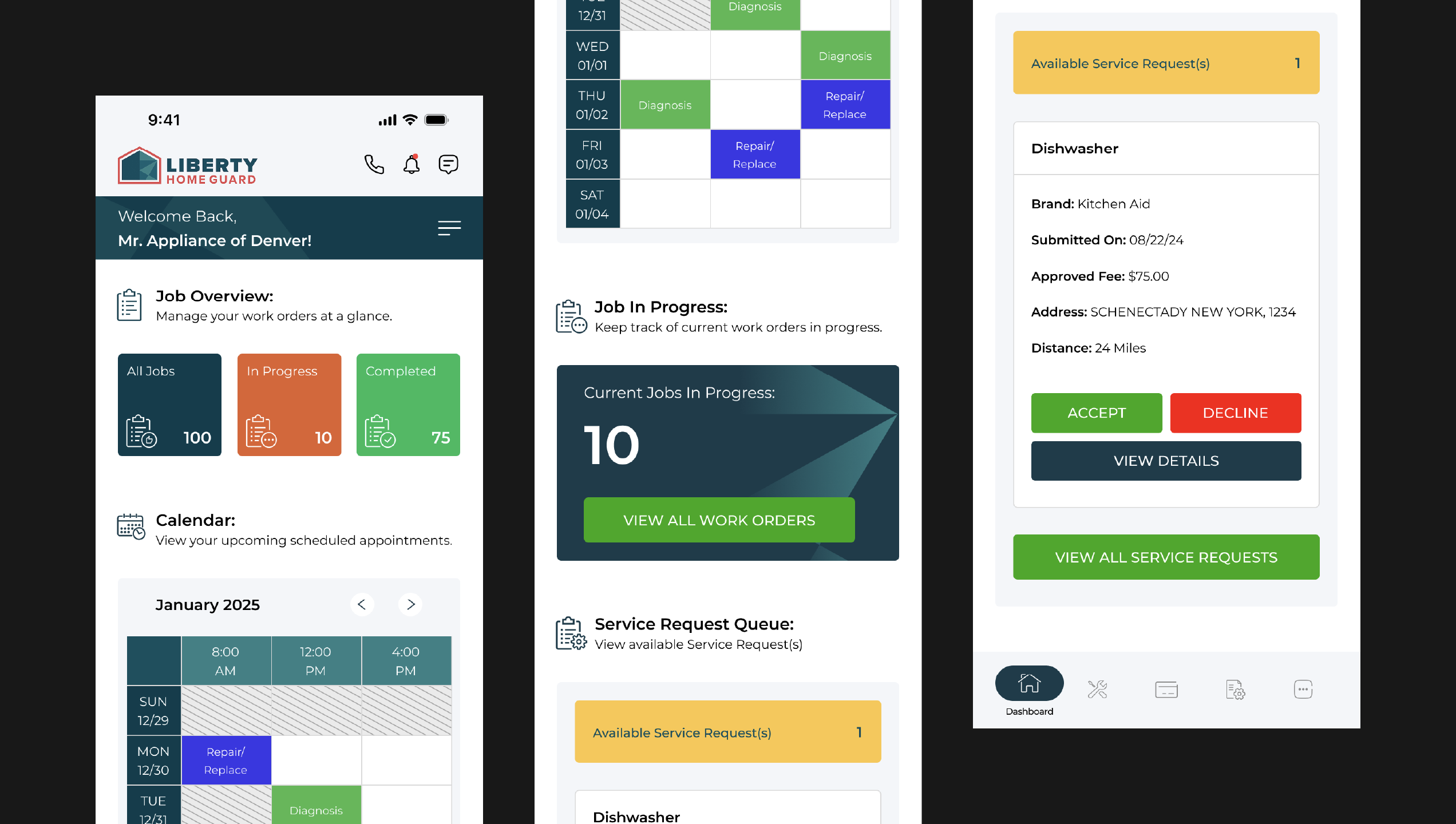
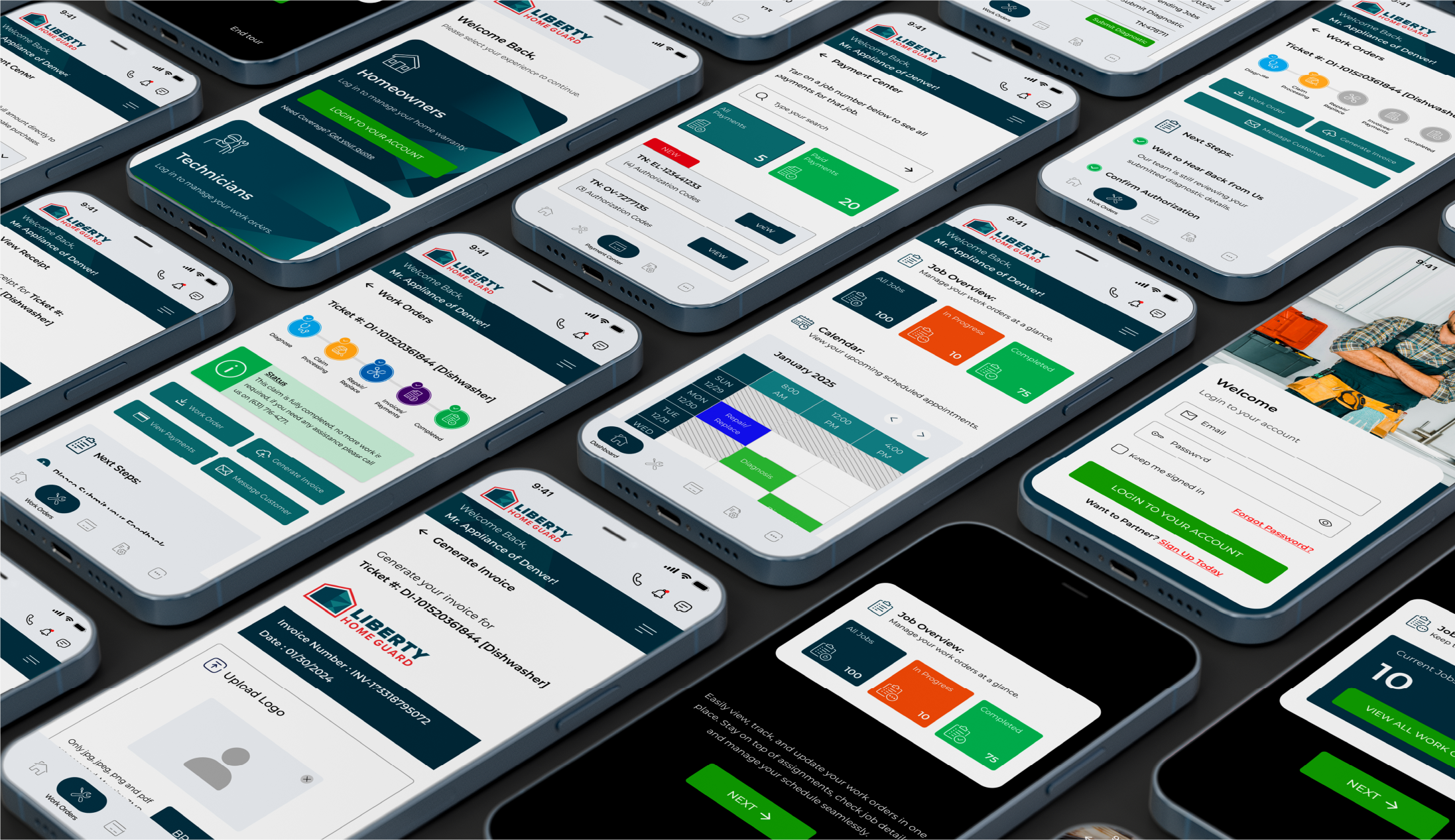
Dashboard & Job Management:
- Design Decision:
Creating a comprehensive dashboard with real-time metrics and quick-access job queue.
- Problem Solved:
Eliminated the need to navigate between multiple screens to access critical information.
- Design Rationale:
Data analysis showed technicians were spending 8-10+ minutes per session just navigating between different complex system views. The unified dashboard puts all essential information on a single screen.
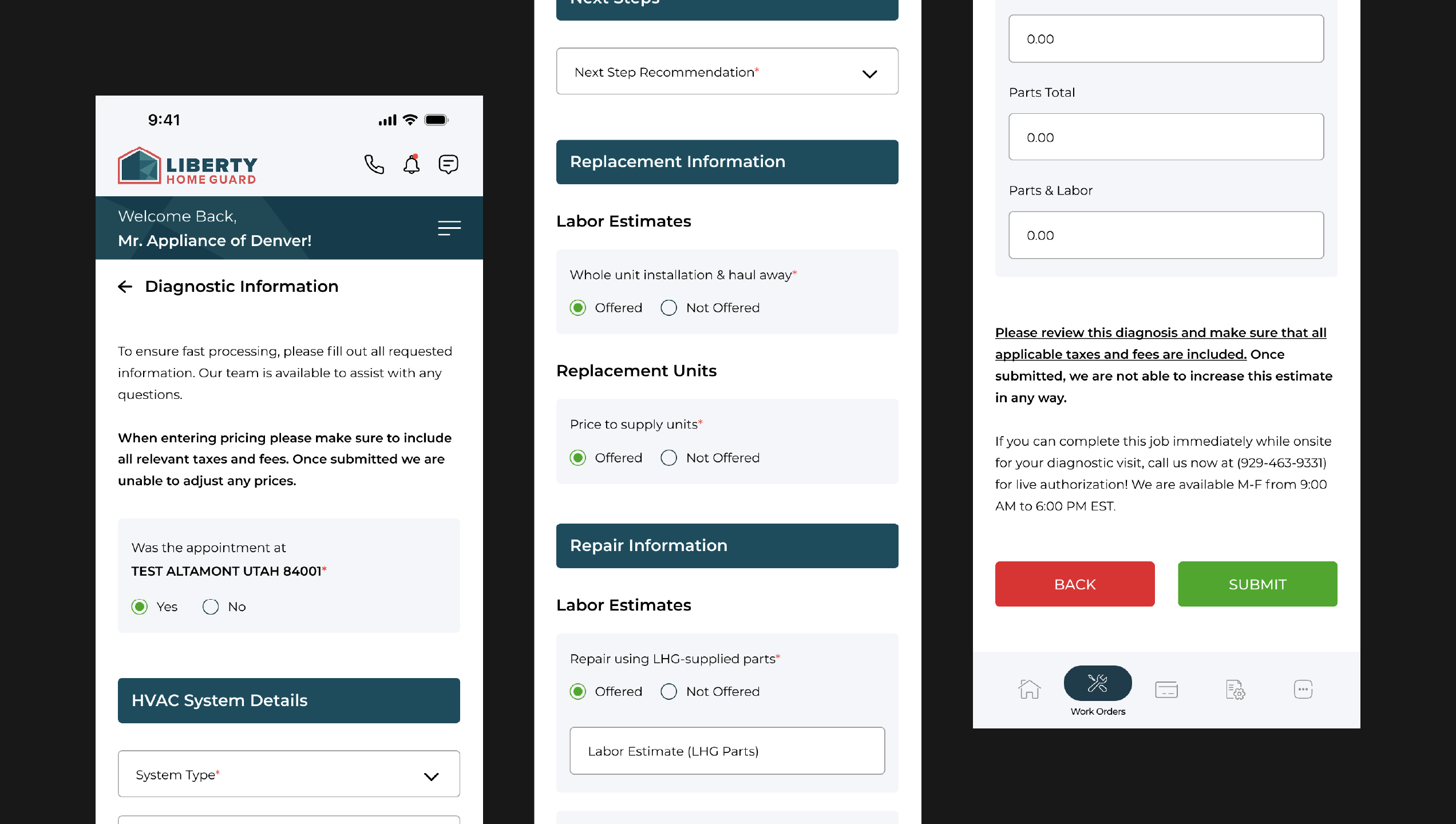
Guided Diagnostic Flow:
- Design Decision:
Step-by-step diagnostic forms with conditional logic and required fields/photos.
- Problem Solved:
Reduced diagnostic ambiguity and eliminated follow-up calls.
- Design Rationale:
Analysis of support calls showed incomplete information was the #1 cause of approval delays. The structured flow ensures all critical data is captured upfront.
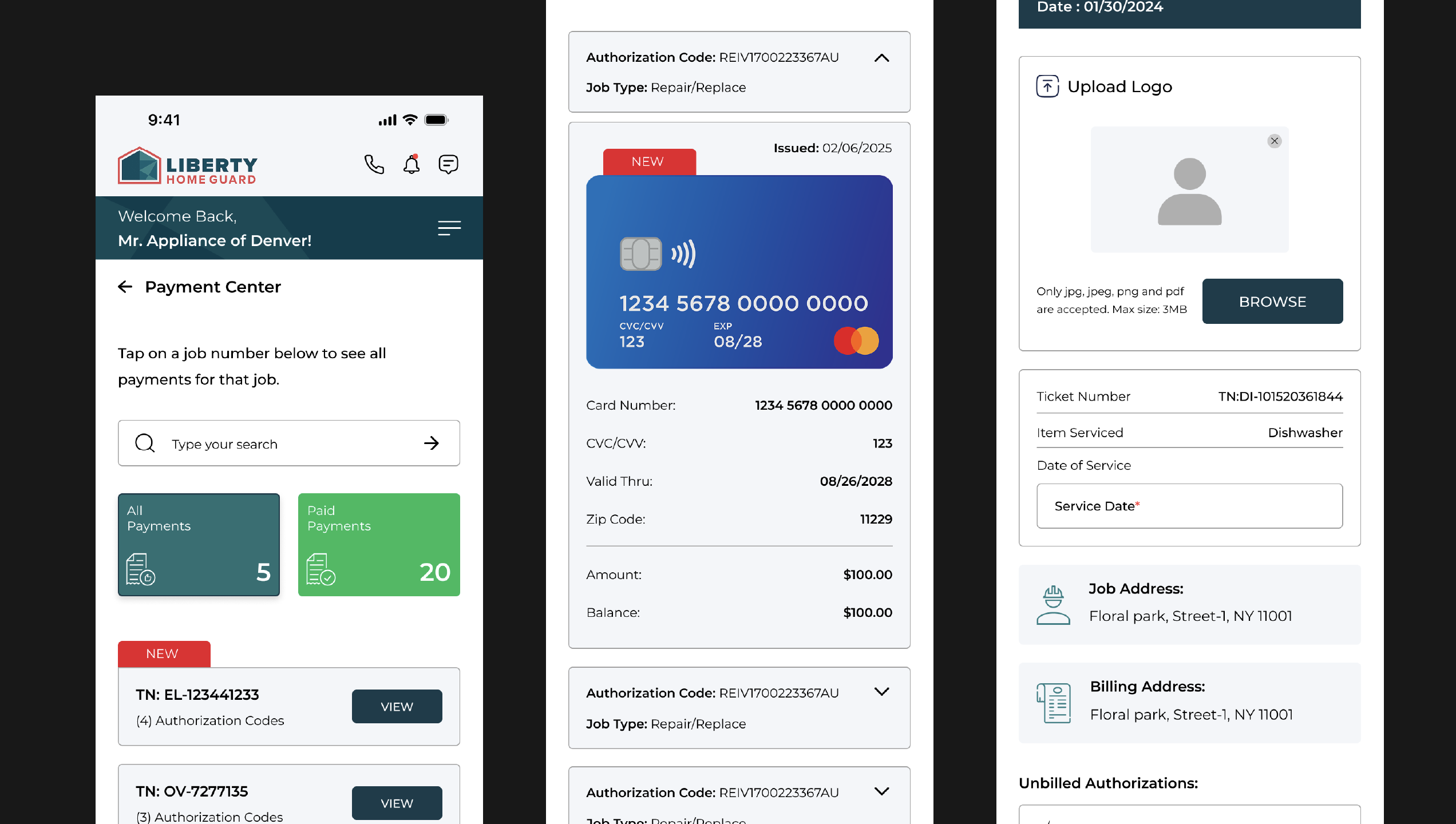
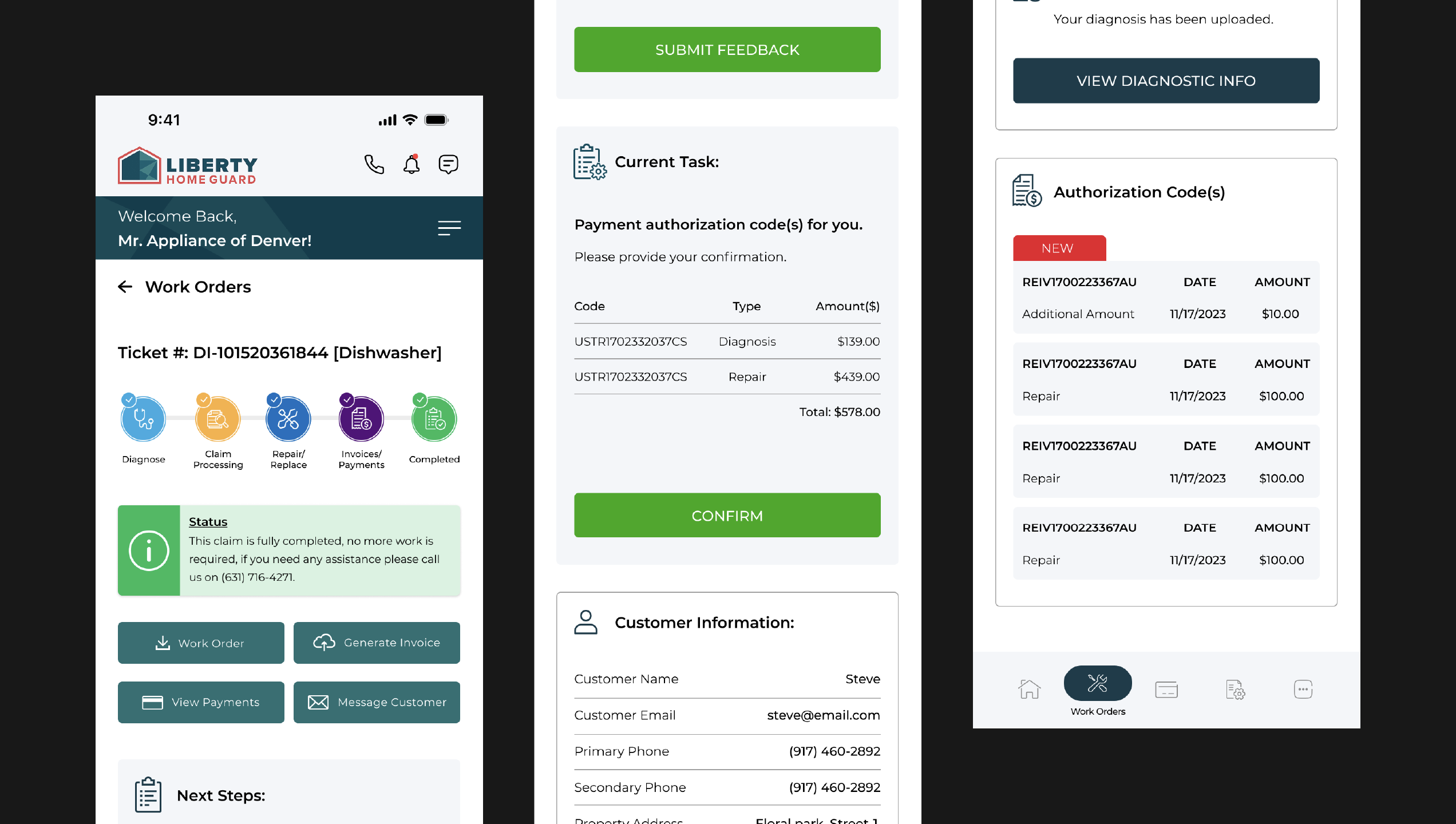
Seamless Payment Processing:
- Design Decision:
Integrated virtual credit cards with instant funding.
- Problem Solved:
Cut payment processing time from 22 minutes to under 2 minutes.
- Design Rationale:
User testing showed technicians preferred a simpler payment process. The new system makes this quick and straightforward.
Job Completion & Claims Tracking:
- Design Decision:
Visual progress tracker with contextual messaging.
- Problem Solved:
Provided clarity on job status and next steps.
- Design Rationale:
Card sorting exercises with technicians influenced the information hierarchy, prioritizing "what's next" over historical data.
Results & Impact:
The app transformation has shown promising results in preliminary user testing and internal data:
- 8% reduction in customer support call volume
- 35% decrease in payment processing time
- 18% increase in daily job completion rates
What Worked Well:
The integration of photo documentation with structured forms proved particularly effective, with dispatchers reporting significantly improved diagnosis accuracy and fewer clarification calls. The native app's responsive design and optimized performance allowed technicians to complete tasks more efficiently compared to the previous web-based system.
What I Would Approach Differently:
If starting over, I would have:
- Built the offline functionality from day one
- Conducted more testing in rural areas with poor connectivity
- Developed a more useful analytics dashboard to track time savings
Future Roadmap:
Based on user testing feedback and stakeholder input, I've identified key improvement opportunities for post-launch development:
- Offline-First Redesign: Enhancing local data caching to prevent progress loss in low-connectivity areas
- Integrated Performance Analytics: Embedding time-tracking per workflow stage to quantify efficiency gains
- AR Diagnosis Assistance: Exploring augmented reality to help identify parts and guide repairs
Reflection:
This project reinforced an important product design principle: successful tools don't just digitize existing processes—they rethink workflows based on user needs and real-world conditions.
The greatest insight came from observing how technicians adapted to everyday challenges, highlighting that the best solutions often emerge from designing with constraints in mind rather than around them.
Preview:
Experience The Design!